Blog

Welcome to the MoodTracker blog!

This space is for announcing interesting new features and developments.

Less exciting stuff like bugfixes, performance improvements and minor UI changes won't get a mention here (if you're interested though you can see a full technical changelog on GitHub).

The version you're currently using was last updated over 1 year ago.

New feature - sleep tracking

You can now track your sleep!

Once you have recorded a few sleeps you will see new charts in your stats pages that show you the relationship between your mood and how much you sleep!

Hope you enjoy this new feature and it helps you to get the right amount of sleep each night! 😊

New feature - daily push notifications

Get daily reminders to add your mood! You can turn these on/off on the notification settings page.

Enjoy! 😊

Location place names

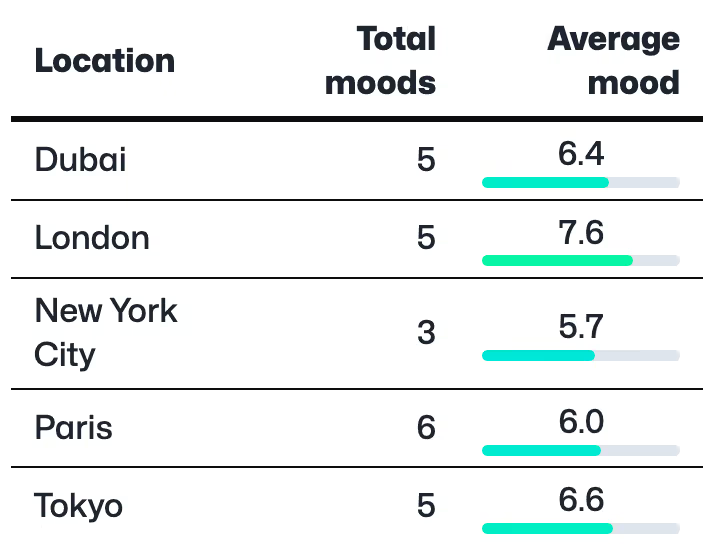
If you're recording your location against your events you can now see a place name (e.g. London, Paris etc) in many of the places where MoodTracker used to show you latitude and longitude.

This should be a bit more meaningful and has enabed the development of a new visualization that shows a breakdown of your mood based on location in the various stats pages:

Screenshot showing the new mood by location visualization

Enjoy!

Enhancements to Explore page

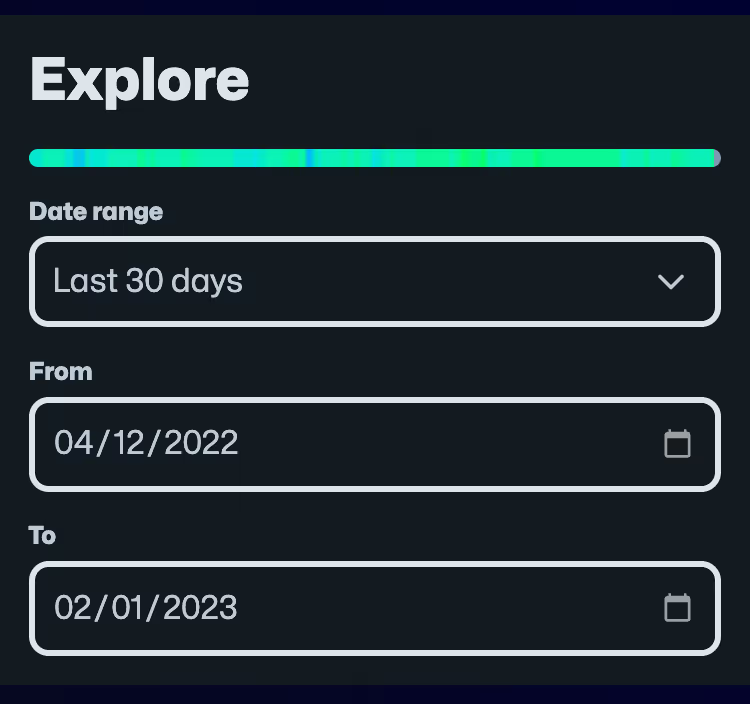
I've made a few changes to the Explore page recently that should hopefully make it more useful. Firstly, I've added a date range dropdown which allows you to select some common time ranges (e.g. 7 days, 30 days, 90 days, or even everything):

Screenshot showing the new date range select dropdown

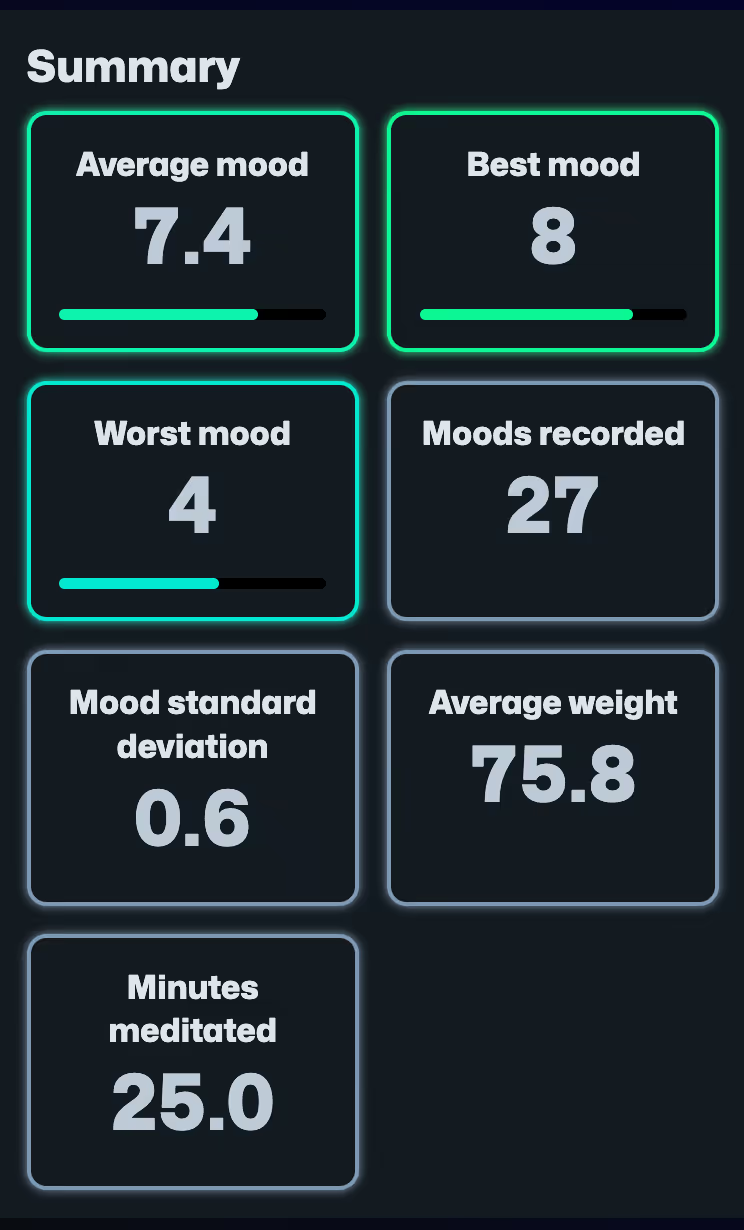
I've also added a summary panel (like you get on all the other stats pages):

Screenshot showing the new summary panel

And lastly, I've refined the selection of charts on the page.

I hope this makes it even easier to review the things you track in MoodTracker.

New weather features

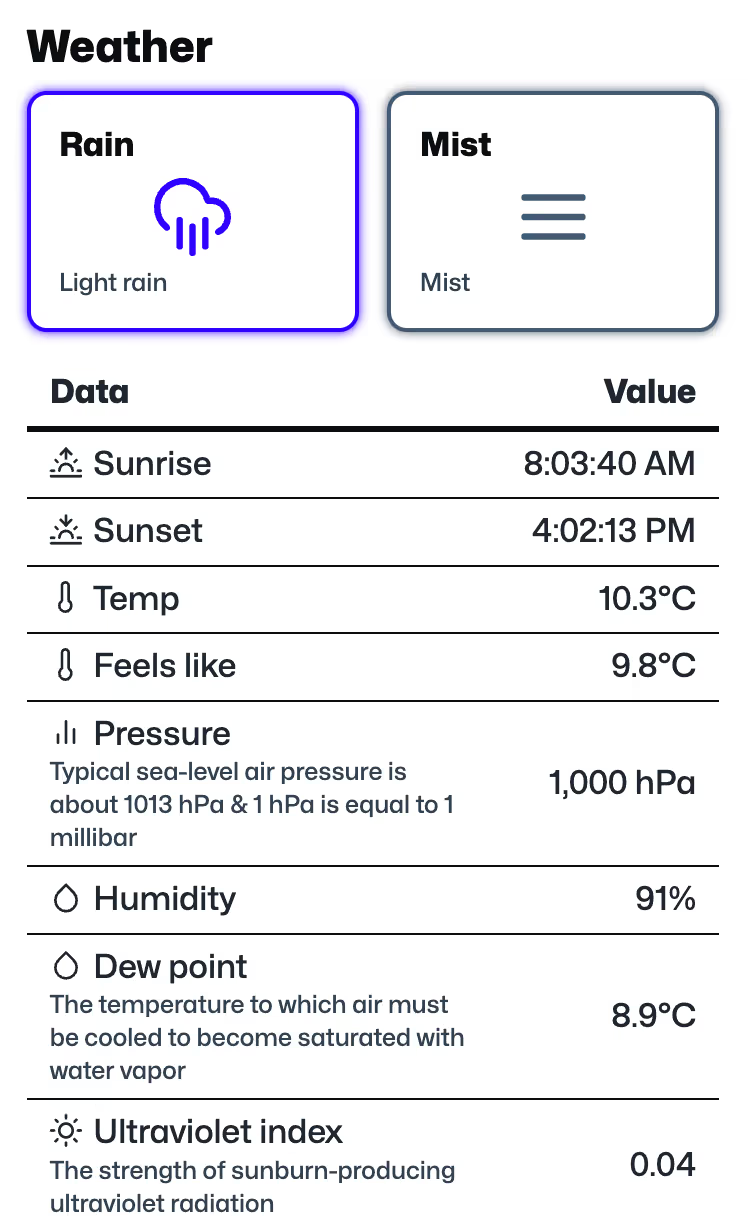
For some time now you've been able to record your location against anything you record in MoodTracker. This functionality can be configured on the location settings page when you're signed in. Now MoodTracker can fetch the weather for each location and time where you recorded something.

You can see this data when you add or edit moods (or anything else) when you're signed in:

Screenshot showing weather stats when adding a mood

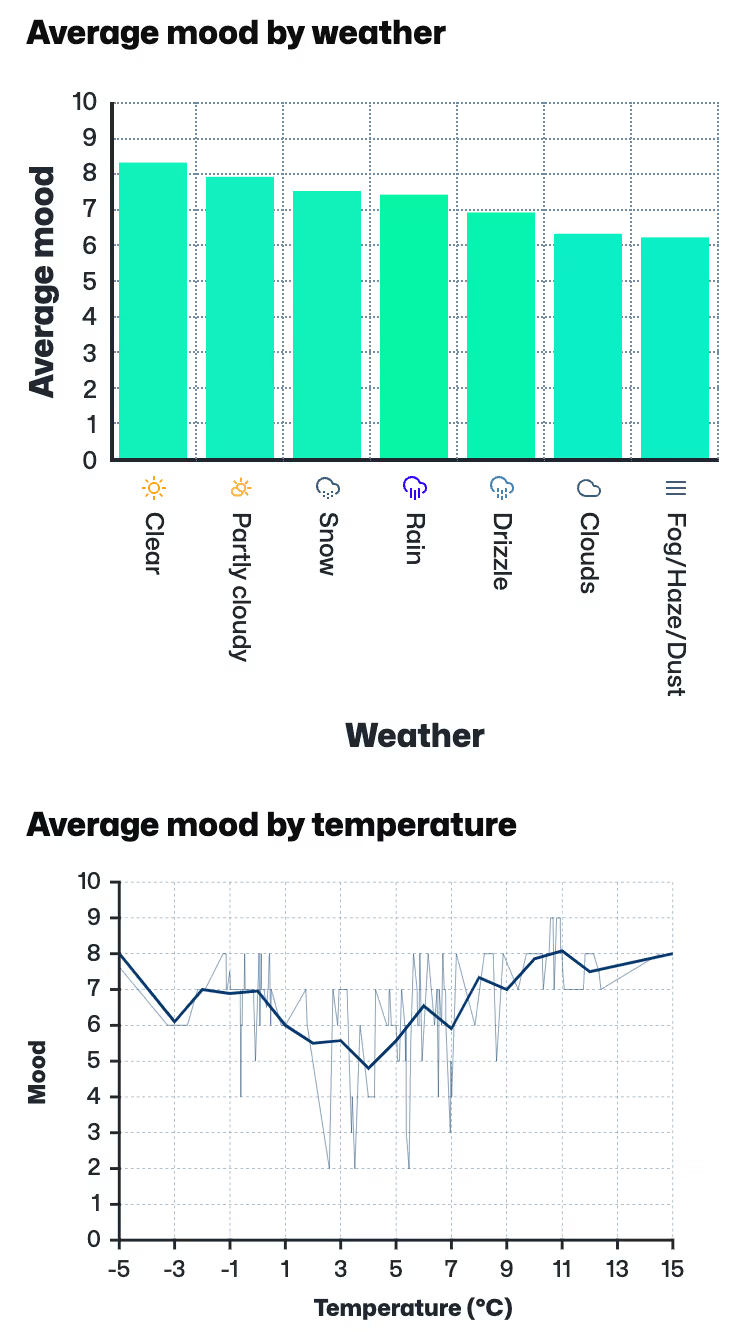
You can also see some new graphs on the various stats pages when you're signed in. Here are a couple examples:

Screenshot showing a couple of mood by weather charts

Mood and weather seem quite entwined. Sometimes we use the same words to describe both things (e.g. weather and mood can both be "miserable" or "bright"). And there is a lot of evidence that seasons can impact mood.

I was curious to see how the weather impacted my mood which is why I added this feature. And I was both surprised and interested to see it doesn't really impact it that much! How about you?

I hope you enjoy this feature!

Improvements to stats pages

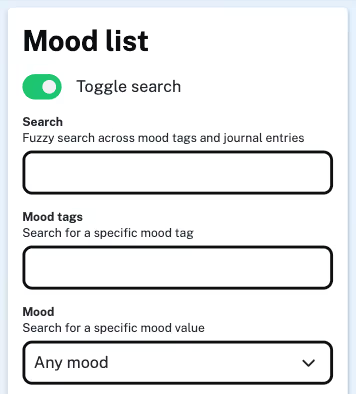
Long time no blog post! I've been doing all sorts of things in the background on this app. Most of the changes have been fairly minor, for instance the search functionality is improved and utilizes a "fuzzy" approach:

Screenshot showing the fuzzy search functionality

Another thing I added was the ability to track your weight. Mostly because I wanted to do it for myself. If you're signed in, you can add your weight here and view weight charts on your stats pages:

Screenshot showing a weight chart on the stats page

More things are in the works. I'm not always updating this blog but I am still enjoying tinkering around with the app and adding new functionality. If you're so inclined you can always see a full technical change history over on GitHub.

Enjoy!

Improvements to stats pages

We've made a couple of changes that should hopefully give you some more insight on the stats pages.

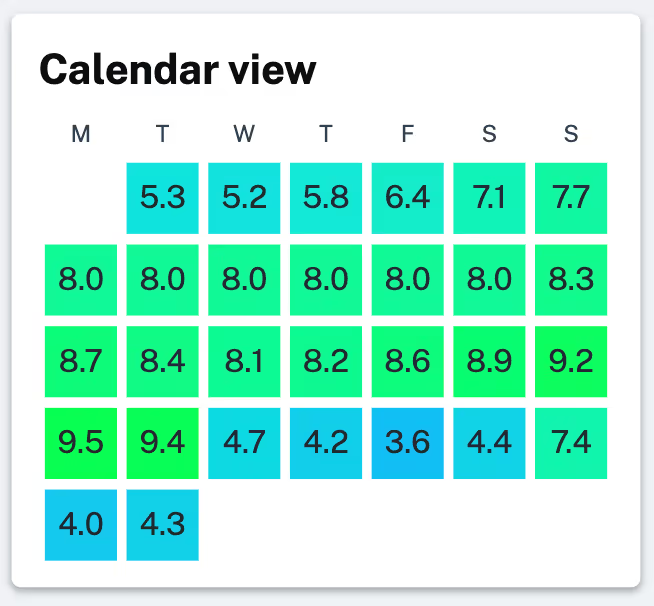
Firstly we have added your average mood number for each day on the calendar view. Now instead of just looking at the color of each day and wondering what it means you can also see the underlying number:

Screenshot of updated mood calendar

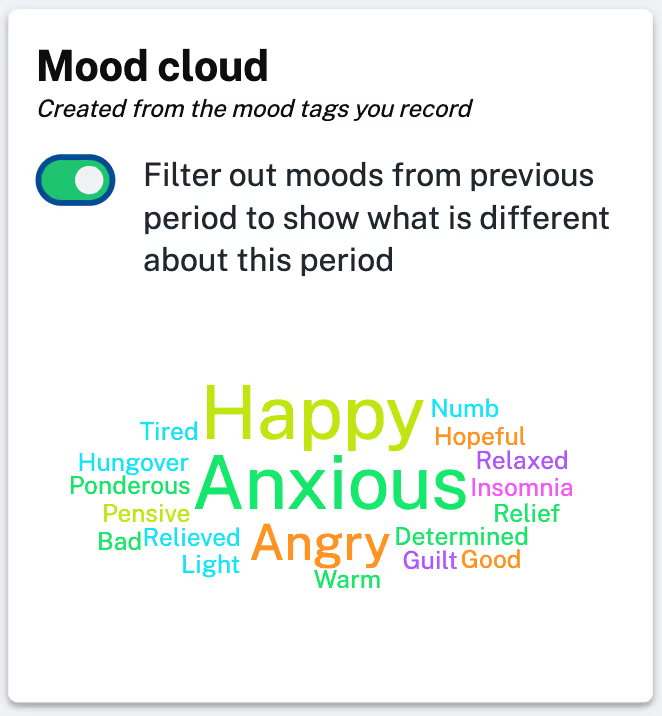
And secondly we've added a toggle to the mood calendar when you review the stats for each period:

Screenshot of new mood cloud toggle

This allows you to filter out all the moods that were shared with the last period to see what has changed. In the example you can see that there is a lot of anxiety, happiness and anger in this period that wasn't there in the last one.

Hope you find these changes useful! 🙂

New feature - location map

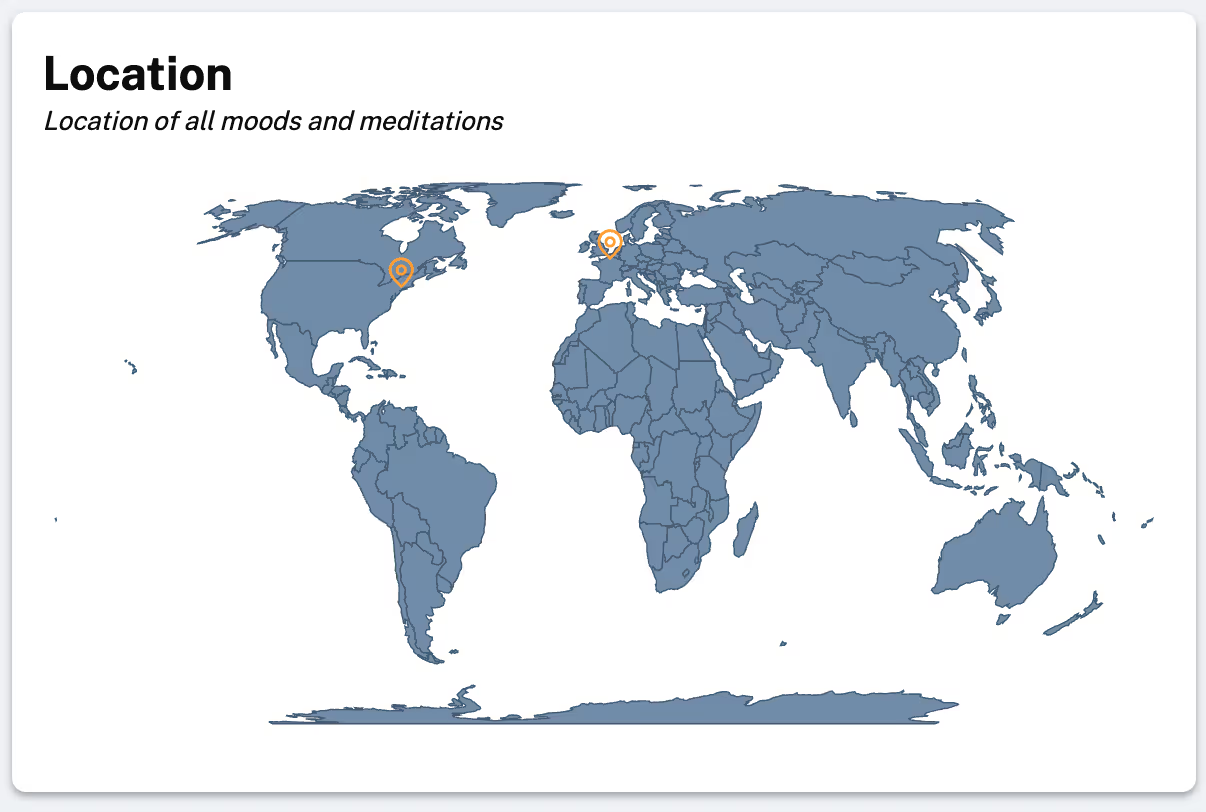
For a while now you've had the option to turn on location recording when you're signed in. We weren't doing a lot with this data and it was only displayed as latitude and longitude coordinates against your moods. Now though, we have added some basic maps to your stats pages and your pages for adding and editting moods.

Here's an example:

Screenshot of new location map feature

This map is only visible if you have have location recording turned on and if you have some locations recorded against your moods and meditations. Hopefully it gives a little more context to where you were when you were using the app.

Hope you enjoy! 🙂

Mood chart added to day stats view

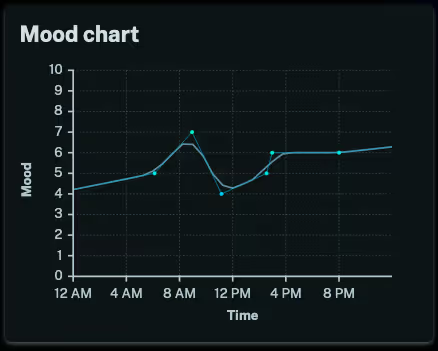
We've added a mood chart to the day view in the stats pages. This should be useful to anyone who adds multiple moods in a day, you can now very easily visualize your mood over time.

Here's an example:

Screenshot of the mood chart for the day stats page

Enjoy!

Updates to summary view on stats pages

Hi there, it's been a while! We've been making minor tweaks, fixing bugs and keeping things up-to-date, but haven't had any major new feature releases for some time. However, today we've made a fairly noticeable change to the summary view on the stats pages which is worth highlighting.

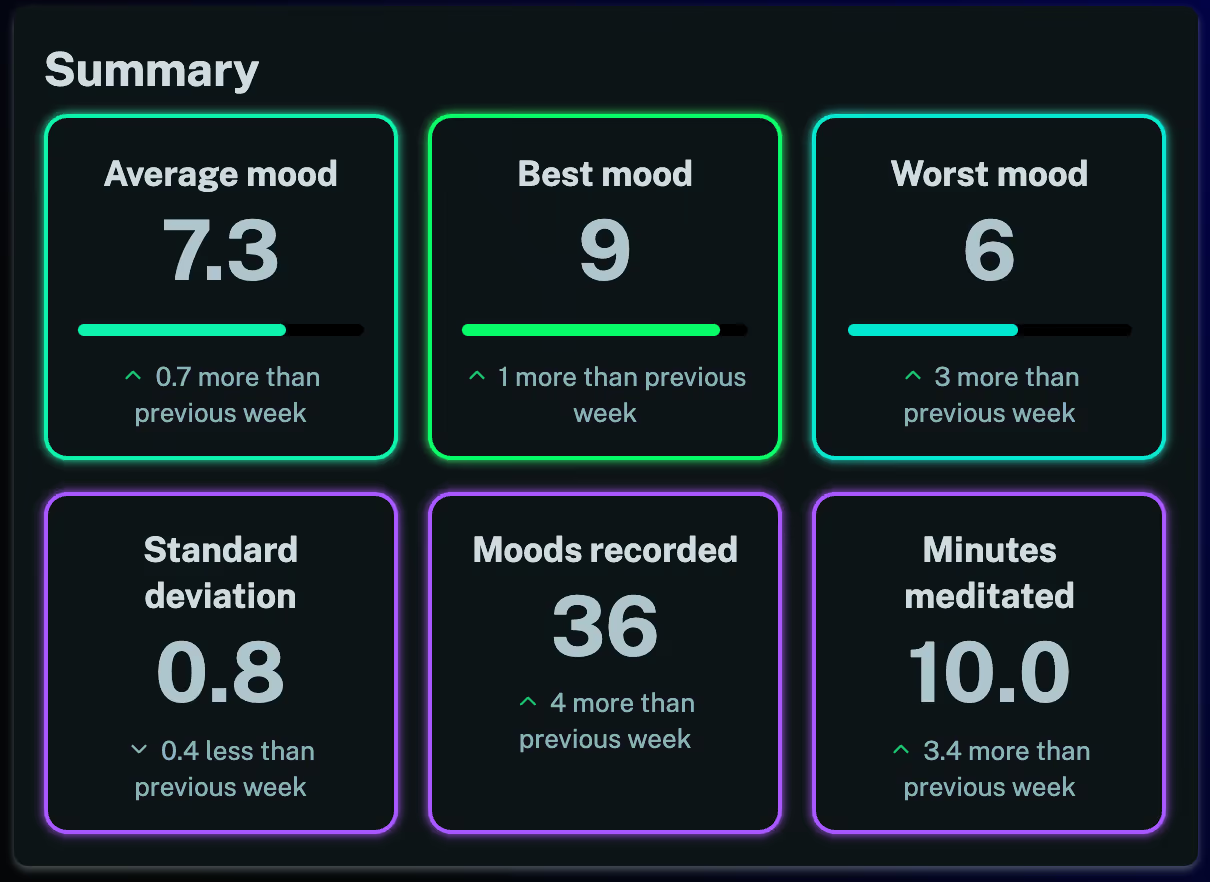
This is what it used to look like:
Screenshot of the old summary view for the stats pages

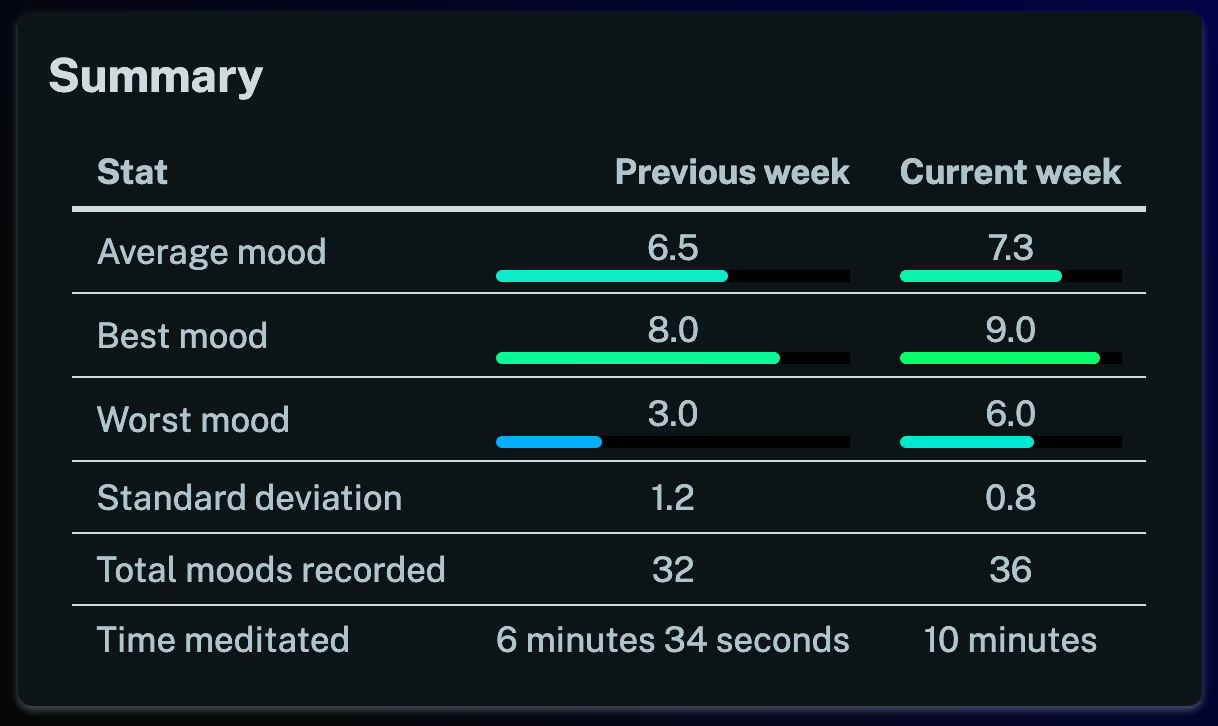
And this is what it looks like now:

Screenshot of the new summary view for the stats pages

We've tried to make the current stats more obvious while also giving you some useful trend information. If you're logged in you can take a look at the new summary view by navigating to the stats page and following a link to one of the days, weeks, months or years.

Hopefully you find this new feature enjoyable and useful!
New feature - record your location

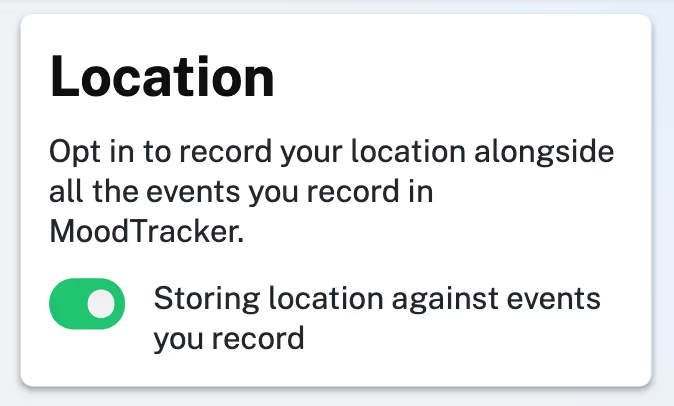
We've added a new feature that allows you to opt in to recording your location against all the events you record in the app. You can find it on the location settings page when you're signed in.

Screenshot of the location recording toggle

If you opt in then you will be able to see where you were for all your events and of course if you don't opt in the app won't track your location at all.

In the future we may create some useful visualizations with this feature to show where you have been and possibly correlate your mood to things like the weather.

Enjoy!

New feature - open-ended meditation

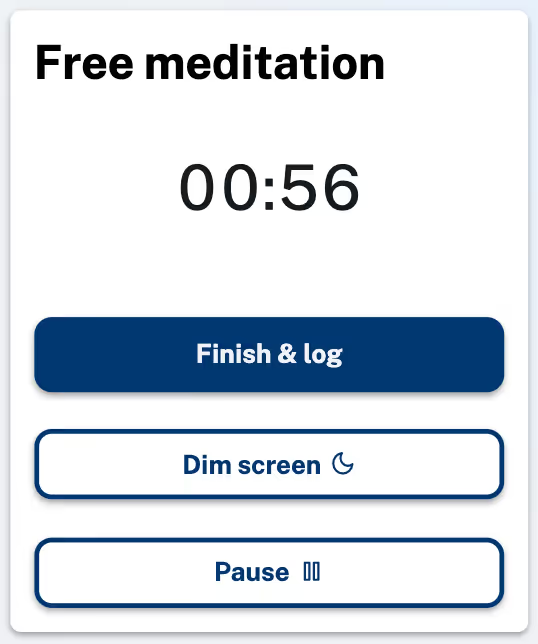
Up until now you've have to choose a time at the beginning of your meditation session and count down until the end. However, sometimes you don't know in advance how long you will practice for, so we've now added a open-ended meditation mode where you can start the clock and finish it whenever you are done.

Screenshot of the open-ended meditation feature

If you're logged in you can find this option on the meditate page. You can still log these meditations and see all the associated stats. We hope you find this new feature useful!

New feature - meditation stats page

Just a quick one to say that we've moved all your dedicated meditation stats to a single page. If you are logged in then you can check them out here (you may need to record a few meditations and a few moods before we have enough data to show you something meaningful).

This page will give you a rough indication of how meditating impacts your mood, including whether it raises it or lowers it and what sorts of moods you are likely to feel before and after.

We've found it quite interesting and insightful and we hope you do too!

New feature - meditation log

Well it's been a while since we last shipped any big new features, nevertheless we have been tinkering away in the background and today we have a new feature to announce!

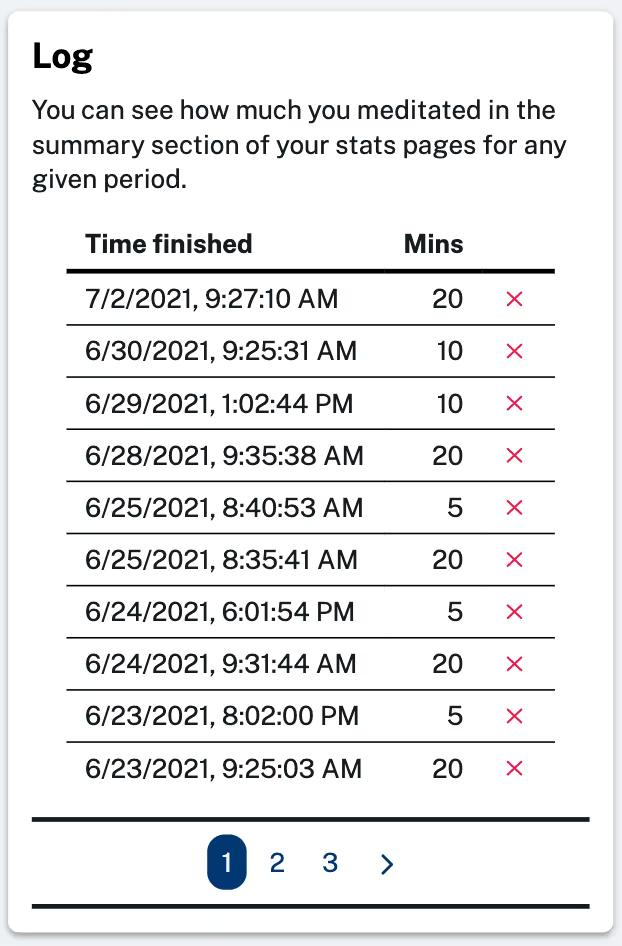
Back in April we added a simple meditation timer, but since MoodTracker is a tracking app we've now added the ability to keep track of your meditation as well as your mood. After you complete a meditation you will have the option to add it to your meditation log:

Screenshot of the meditation log

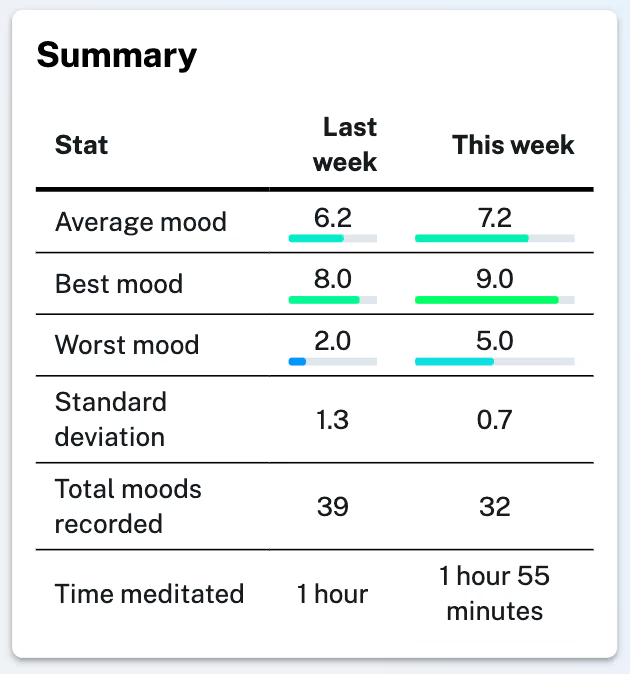
If you start using the meditation feature you will then see how much you meditate when you check your summary on the stats pages for any day, week, month or year:

Screenshot time meditated on the summary page

We're thinking about how we can meaningfully correlate these two data sets to bring new insights, but for now we hope you enjoy this new feature and find it useful!

New feature - daily statistics

We've made a small addition to your stats pages. In addition to being able to examine weeks, months and years you can now drill down into individual days. Take a look at today's stats by clicking "Today" in the navigation menu. You can also drill down into individual days from the weekly stats view by clicking bars in the weekday bar chart, or you can drill down into individual days from the monthly stats view by clicking calendar days in the calendar visualization.

Hopefully this feature makes it easier for you to see what was going on for you on specific days.

Enjoy!

New feature - meditation timer

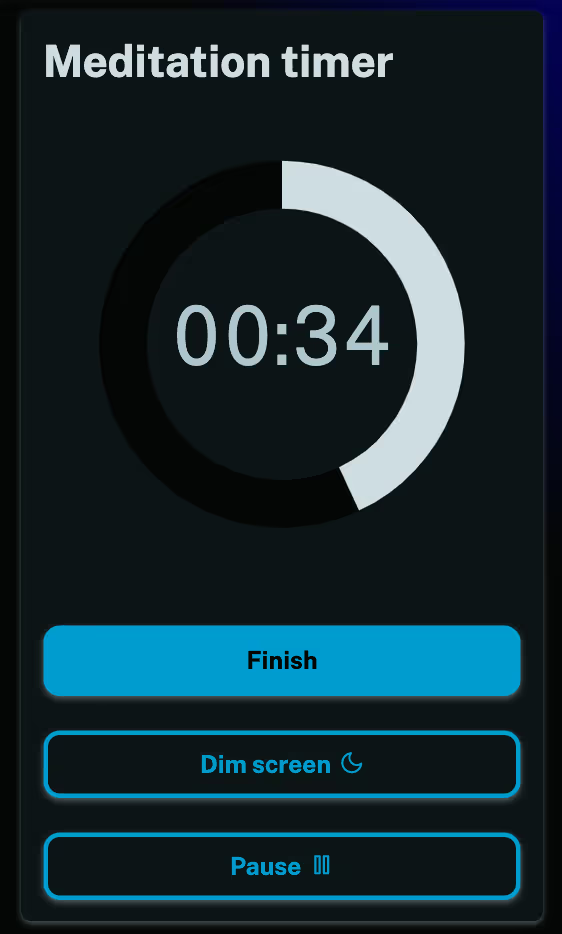
We've added a meditation timer to the app. If you're signed in you can check it out here. You can choose from preset times or set your own custom time. You can also pause the timer and dim the screen if you don't want to be disturbed.

Screenshot demonstrating the new meditation timer

This isn't a feature you'd typically expect to find in a mood tracking app, but we're experimenting with ways we can continue to help you learn about yourself and unlock your full potential.

Meditation has been demonstrated to have a positive impact on mood and wellbeing so we may continue to experiment with feature ideas like this (or even remove them if no-one uses them or finds them useful).

Have a lovely day!

New feature - mood gradient visualization

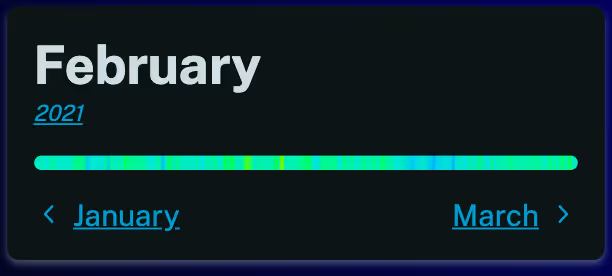
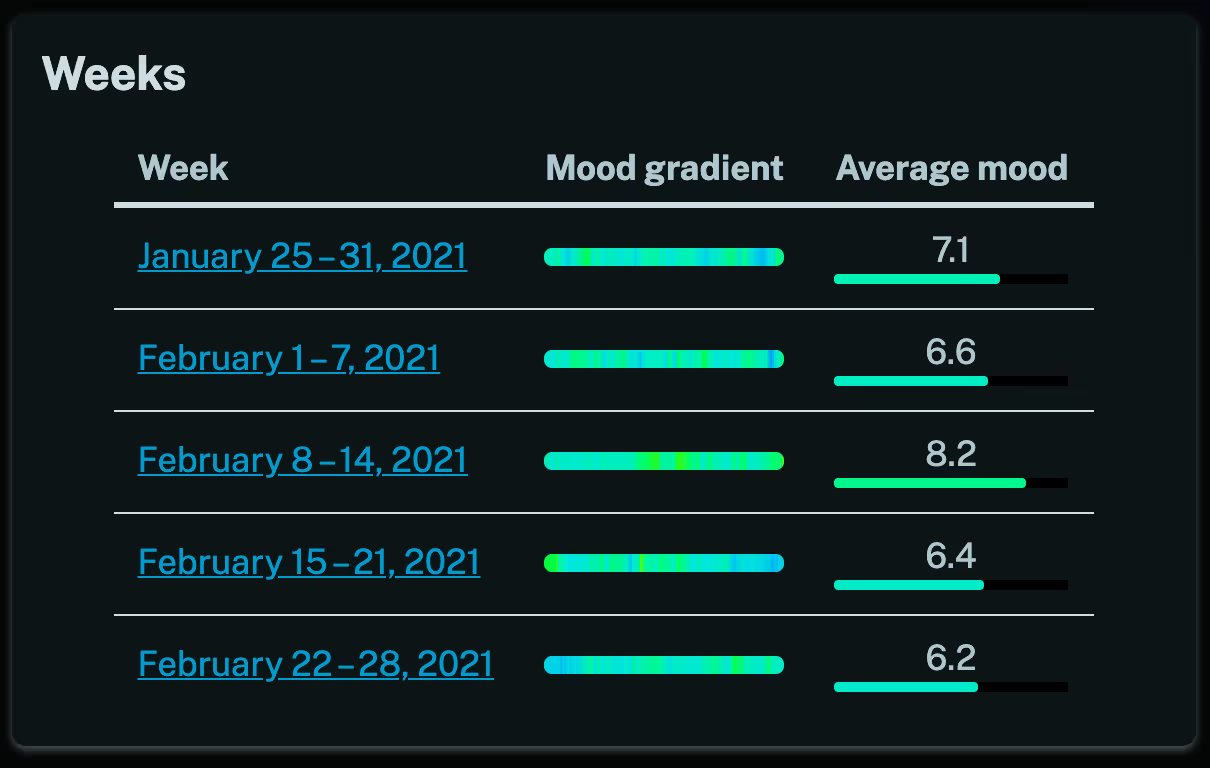
We've been making a lot of small improvements behind the scenes recently, you may have noticed some new changes to the navigation menu for instance. Today though we've added a new mood gradient visualization to your stats pages. You can now see at a glance what your week, month or year was like.

Screenshot demonstrating the new mood gradient feature

We've also added it to the overview page and month page. We think it makes it much easier to see what your week, month or year was like before you drill down to it.

Screenshot demonstrating the new mood gradient feature in the weeks table

We hope you enjoy this feature and find it useful!

New feature - weekly email updates

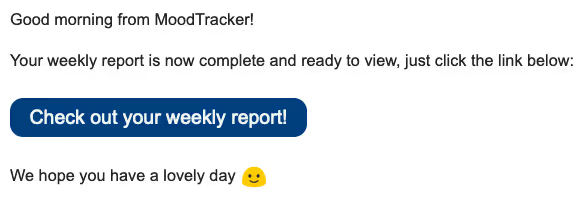
We've added a new notifications page where you can opt into weekly update emails. If you turn these notifications on then you will receive an email every Monday morning linking you to your weekly statistics page.

Screenshot demonstrating the new weekly emails feature

It's a nice opportunity to review and reflect on your last week and to think ahead to the one you've just begun.

We hope you find this feature useful and remember you can turn it off at any point if you no longer wish to receive the emails 🙂

Average mood by hour

You can now see your average mood by hour on the weekly, monthly and yearly statistics pages.

Screenshot demonstrating the average mood by hour chart

This can give you insights about how the time of day impacts your mood. For instance, there's clearly an afternoon dip in this chart. With MoodTracker you can run experiments and see the results, perhaps trying different foods for lunch or getting more sleep at night can change the way you feel throughout the course of the day. MoodTracker makes it easy to discover what works best for you!

If you're signed in then take a look at your stats here.

Improvements to the explore page

The Explore page has had some updates. There are now 4 charts on it and they all update to reflect the date range you select. You can take a look at your average mood over the hours of the day, or the days of the week for the time range you select. This should allow you to view your data in new ways and gain new insights.

We'd show you a screenshot but there are too many charts to display, so if you're signed in then go ahead and check out the Explore page here!

New feature - search and filter

You can now search and filter through all your moods!

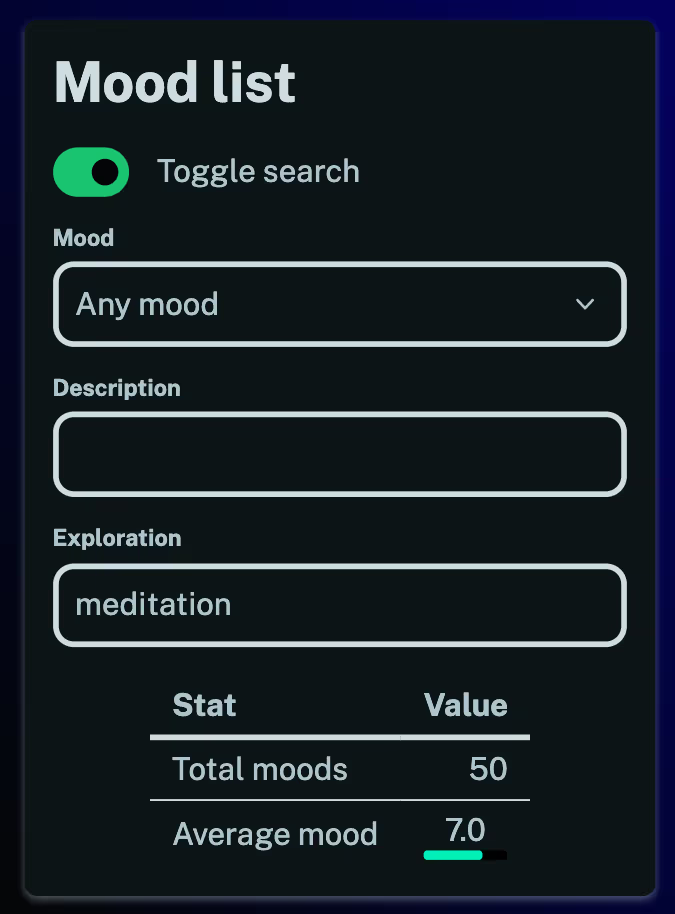
Screenshot demonstrating the new search feature

This can lead to some interesting insights. For instance:

  • You can now review your best and worst moments.
  • You can search for different activities you've logged in your explorations to see how they impact your mood (see the screenshot above). Filter through your hobbies and see what you most enjoy doing.
  • You can even take a look at how you rank your different emotions on average by filtering the description field.

There are all sorts of possibilities here for exploring patterns in your emotional life.

You'll need to have a few moods logged before you can make use of this feature. When you have enough entries you'll see the search toggle and be able to get started on your homepage.

Enjoy!

New feature - data export

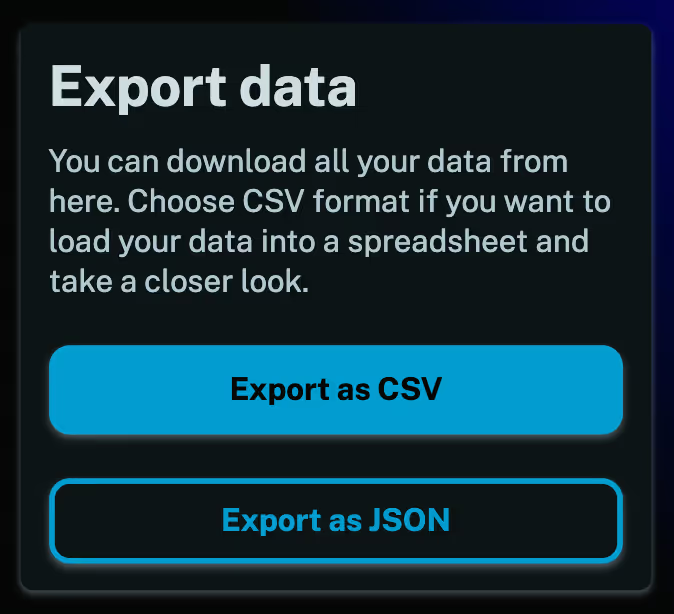
We've added a data export feature that allows you to export all your data. You can load it into a spreadsheet, save it somewhere or do whatever you want with it - it's your data!

Screenshot showing the data export page

You can find this feature in the menu or if you're signed in then check it out here.

Hope you like it!

Yearly statistics and other improvements to stats

We've made a number of changes to your stats pages.

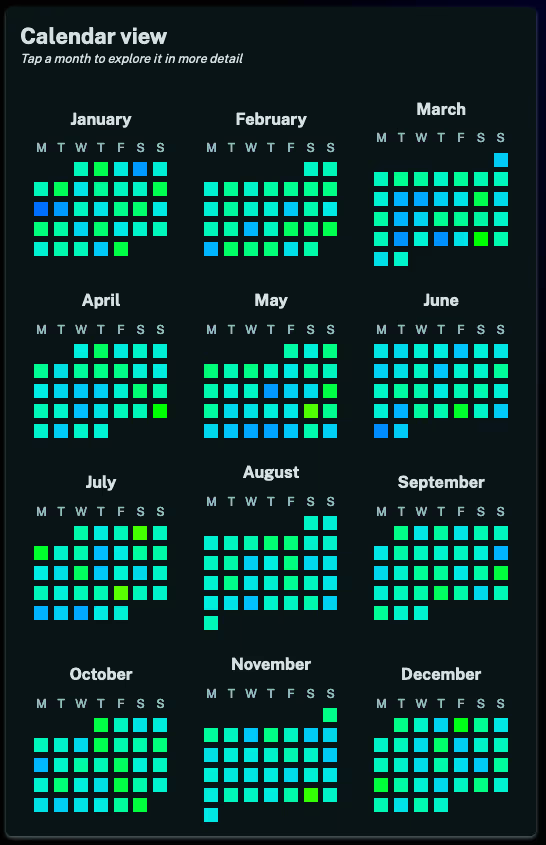
First up we've added a year page which allows you to review your mood over the course of an entire year. The most interesting new visualization is the day-by-day calendar view:

Screenshot demonstrating the whole year calendar view

We've made a number of other tweaks and enhancements too, for instance it is much easier to navigate around your stats now. All views are linked so it is easy to drill down from year to month to week and to drill up from week to month to year.

Hope you enjoy these new features and gain new insights from them!

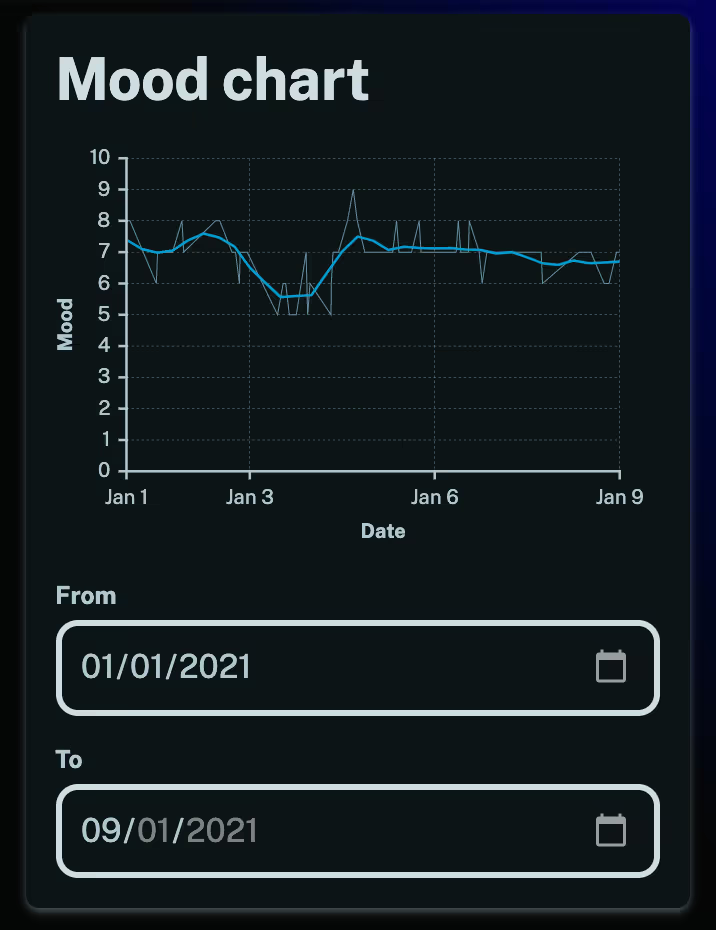
New feature - date controls on explore page

We've made a minor change to the explore page to make it a bit more powerful. Now you can select the exact date range that you want to examine. Hope you find it useful!

Screenshot demonstrating the calendar view

New feature - calendar view

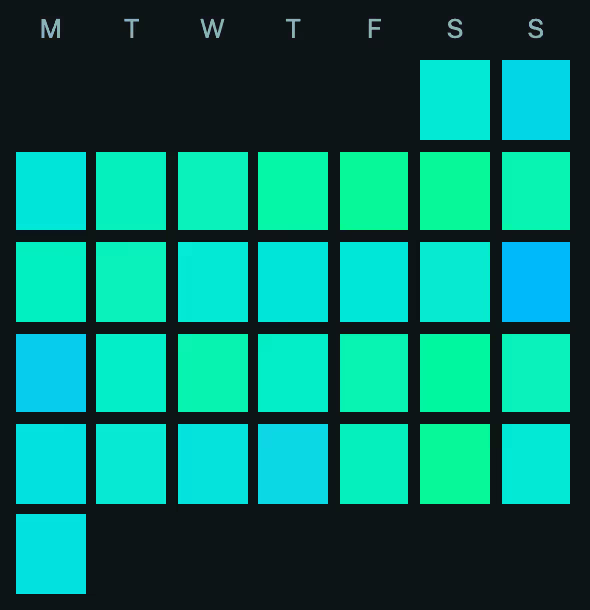
Welcome 2021! Just a quick one, we've added a new calendar visualization to the month pages. Hope you find it useful and enjoy.

Screenshot demonstrating the calendar view

New feature - exploration

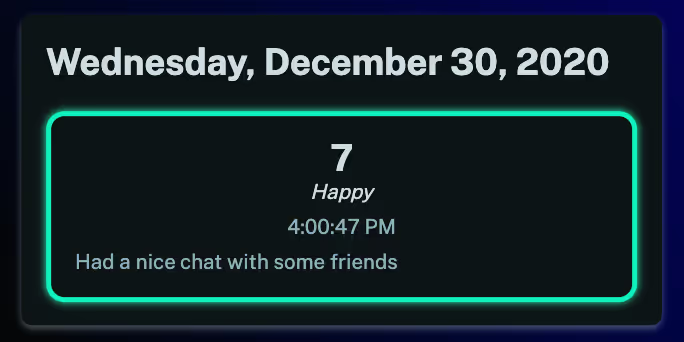
Welcome to the MoodTracker blog! I thought I'd start this so people can see what's been going on with the app.

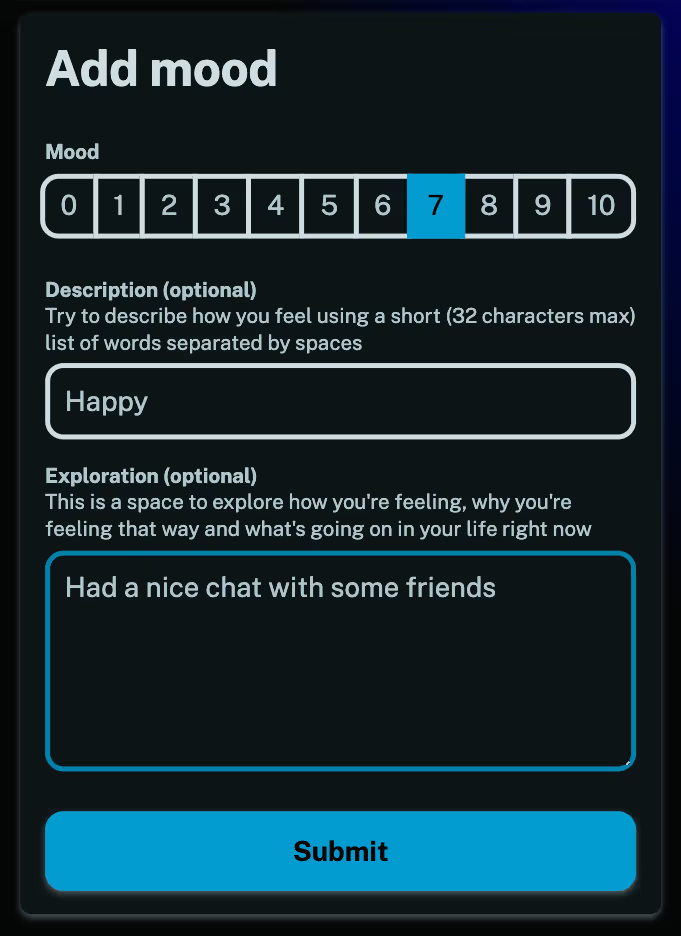
Most recently we've added an exploration field that let's you add a proper journal entry with each mood you record.

Screenshot demonstrating adding a mood with an exploration

You can use this space to explore how you're feeling, why you're feeling that way and what's been going on in your life.

Screenshot showing a created mood with an exploration

Hope you enjoy the new feature and find it useful, take care and have a happy new year!

Sign out?

Safe to sign out, all data is synced to the server.